
How to Cancel Any Subscription in the USA Without Getting Charged Again
Blog post description.
12/23/20254 min read
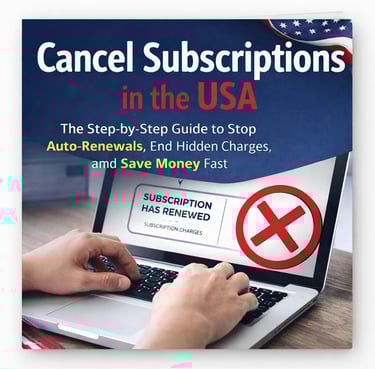
How to Cancel Any Subscription in the USA Without Getting Charged Again
Canceling a subscription in the United States should be simple. You sign up online in seconds, so canceling should take seconds too—right? In reality, millions of Americans keep paying for subscriptions they no longer want, not because they forgot, but because the system is designed to make cancellation confusing, delayed, or frustrating.
If you’ve ever asked yourself “Why am I still paying for this?”, this guide is for you.
This article explains exactly how to cancel any subscription in the USA without getting charged again. No myths. No guesswork. Just a proven, step-by-step system that works for apps, streaming services, free trials, memberships, and recurring online services.
Why Canceling Subscriptions Is Harder Than Signing Up
Subscriptions rely on one powerful principle: inertia.
Companies remove friction when you join—free trials, one-click signups, low introductory prices. But when it comes time to cancel, friction suddenly appears. Cancel buttons are hidden. Support redirects you. Retention offers pop up. Emails go unanswered.
This is not accidental.
Most subscription revenue comes from people who meant to cancel later and never did. Understanding this mindset is the first step to beating it.
Step 1: Identify Where the Subscription Is Actually Managed
The biggest mistake people make is canceling in the wrong place.
Before you do anything, determine who controls the billing:
Was the subscription started on a website?
Through the Apple App Store?
Through Google Play?
Through a third-party provider (Amazon, cable company, etc.)?
If Apple or Google manages the subscription, only they can cancel it. Contacting the company directly won’t stop the charges.
Always verify the billing source by checking:
Your bank or card statement
Subscription settings in your Apple ID or Google account
Original sign-up emails or receipts
Never assume. Verify first.
Step 2: Check the Renewal Date and Billing Cutoff
Many unwanted charges happen because cancellation is done too late.
Subscriptions often require cancellation:
Before the renewal date
Sometimes 24–48 hours in advance
Based on a specific time zone
If your renewal is on the 15th, canceling on the 15th may already be too late.
Always look for language like:
“Renews on”
“Next billing date”
“Cancellation must occur before”
Cancel early whenever possible. Canceling early does not remove access—it only prevents the next charge.
Step 3: Gather Proof Before You Cancel
This step takes two minutes and can save hours later.
Before canceling:
Screenshot your active subscription page
Save invoices or billing emails
Note the date and amount of the last charge
If something goes wrong, proof changes everything. Without it, disputes become arguments. With it, disputes become facts.
Step 4: Use the Strongest Cancellation Method
Not all cancellation methods are equal.
The most reliable order is:
Online account dashboard with confirmation
Email or written request
Chat with transcript
Phone call (only with written follow-up)
Written cancellation creates a paper trail. Verbal promises do not.
If you call, always follow up with an email confirming the request. Without written confirmation, the cancellation may not legally exist.
Step 5: Cancel Clearly and Completely
Vague language causes delays.
Avoid:
“I think I want to cancel”
“If possible”
Emotional explanations
Use clear language:
“I am requesting cancellation of my subscription effective immediately. Please confirm in writing.”
This wording leaves no room for interpretation.
Step 6: Confirm the Cancellation Actually Worked
Many people stop after clicking “cancel.” That’s a mistake.
You must see one of the following:
“Canceled”
“Expires on [date]”
A confirmation email
If you don’t see confirmation, assume the cancellation did not go through and follow up immediately.
Step 7: Monitor Your Next Statement
After canceling, always check:
Your next bank or card statement
Pending transactions
One final charge if the billing period ends later
If a charge appears after cancellation, act immediately. Speed increases your chances of resolution or refund.
What to Do If You’re Still Charged After Canceling
This happens more often than people realize.
If you were charged after canceling:
Gather your cancellation proof
Contact the company in writing
Request reversal of the charge
Ask for confirmation that billing has stopped
Most issues resolve here when proof is clear.
When Companies Ignore You or Delay
If support ignores your request or keeps delaying:
Send a written follow-up after 3–5 business days
Escalate to billing or a supervisor
Send a final notice with a deadline
Silence is not acceptable. Persistence with documentation works.
When to Involve Your Bank or Card Provider
If billing continues despite proper cancellation, the charge may be unauthorized.
Contact your bank or card issuer when:
You canceled and were still charged
The company refuses to respond
You have written proof
Explain the situation calmly and provide documentation. Banks side with prepared consumers.
Why Deleting Apps Doesn’t Cancel Subscriptions
This is one of the most expensive myths.
Deleting an app:
Does not stop billing
Does not cancel the subscription
Does not remove authorization
Subscriptions are tied to accounts and payment methods—not apps.
Always cancel at the billing source.
Free Trials: The Most Common Trap
Free trials convert automatically unless canceled.
Best practice:
Cancel immediately after signing up
Use the trial until it ends
Re-subscribe only if needed
Relying on reminder emails is risky. Early cancellation is always safer.
How Much Money This Can Save You
A $12.99 subscription costs over $150 per year.
Three forgotten subscriptions can cost $500+ annually.
Canceling even one unwanted service often saves more than the price of a professional guide.
Why Most People Fail (And Why You Won’t)
People fail because they:
Cancel in the wrong place
Wait until the last minute
Don’t save confirmation
Give up after delays
This system eliminates all of those mistakes.
Take Control Permanently
Canceling subscriptions is not about being aggressive. It’s about being informed, prepared, and precise.
Once you understand how the system works, it stops working against you.
Want the Complete Step-by-Step System?
This article gives you the foundation.
The full system—including:
Exact cancellation scripts
Free trial safety method
Escalation strategies
Bank dispute guidance
One-page checklists
is inside the eBook Cancel Subscriptions in the USA.
👉 Download the full guide and cancel subscriptions with confidence—starting today.https://cancelsubscriptionsusa.com/cancel-subscriptions-usa
Contact
support@cancelsubscriptionsusa.com
© 2026. All rights reserved.